
Supporting Reference 2: User Guide
Run day-to-day operations safely with this guide. Follow it to run batches, review outputs, and publish with control. Use it after environment setup is complete.
R2.1 Before each run
- Activate the correct Python environment (usually
.venv313). - For EXE runs, set
AMIR_PYTHONto the Python 3.13 interpreter before launch. - Confirm Ollama is reachable with
ollama list. - At app startup, verify the runtime line reports expected processor mode:
[INFO] Ollama startup check: ... processor=GPU/CPU .... - Confirm input folders are available and writable paths are healthy (
data/,logs/,data/ollama_tmp/). - If publishing is planned, verify FTP/MySQL credentials and endpoint availability.
Set-Location "\path\to\amir2000_image_automation"
.\.venv313\Scripts\Activate.ps1
ollama list
python .\main_set.py
R2.2 Start a batch
- Open the Multi-Set UI from
main_set.py. - Add one or more sets from local folders.
- Review subject/location/folder mapping fields before starting. The Add set action is intentionally separated to reduce mis-clicks.
- Subject input now auto-applies Title Case while typing (for example
foggy bike pathbecomesFoggy Bike Path) and spellcheck runs with a safe debounce to avoid per-keystroke UI instability. - Subject normalization preserves natural trailing joiners like
in,of, andthewhen they are part of a valid phrase. - Use the resizable queue table to validate large runs. The table expands with the window and supports scrollbars for long set lists.
- Start the batch and monitor stage progress + ETA in UI/console.
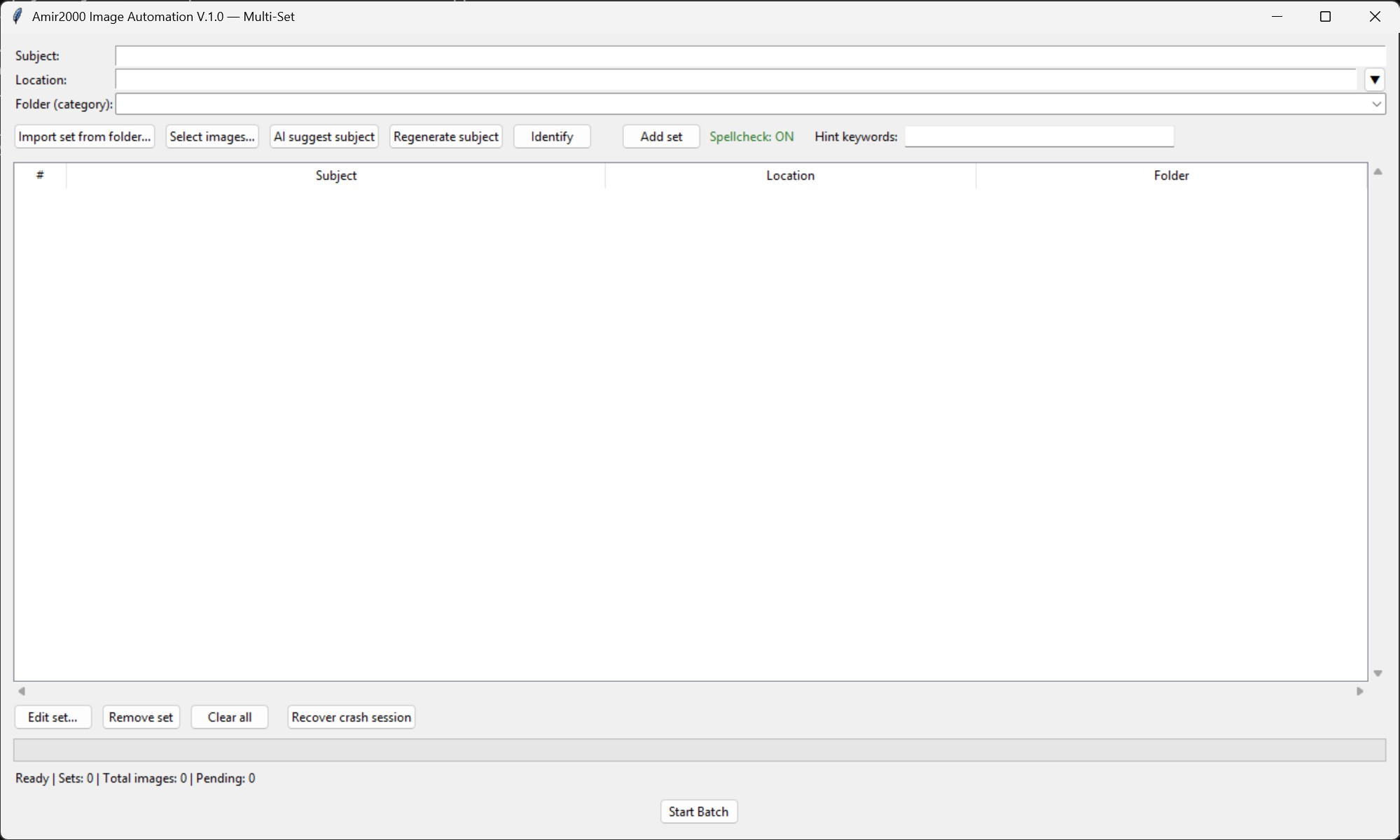
Multi-Set V1.0 view: set intake, subject suggestion, queue inspection, and batch start.
R2.2A Crash-safe continue flow
- Reopen the Multi-Set app after an interruption or crash.
- Click Recover crash session (next to Clear all).
- Confirm the recovered set/pending counts shown in the dialog.
- Continue normally with Start Batch.
Recovery source: data/multiset_session.json (or latest backup snapshot if present). Restore checks now validate files in both incoming and staged paths.
Add-set stability hardening: background AI subject generation now runs single-flight per selection (prevents overlapping workers while building many sets), and unexpected add-set callback failures are written to data/crash_runtime.log.
R2.3 What stages run automatically
Run the normal sequence in this order:
- Validate sets
- Prepare DB and copy to incoming
- Extract EXIF and initial metadata
- Insert or refresh review rows
- AI quality scoring
- Resize images for Ollama
- Caption, keywords, and metadata quality proof
- Open review editor
See Step 2: Workflow for full technical behavior.
R2.4 Review editor workflow
- Use the Image n/x indicator to track position in long review queues.
- In Multi-Set, confirm spellcheck health before batch build. Status now shows Spellcheck: ON/OFF next to the Add set controls.
- Prioritize rows with weak quality or questionable caption/keywords.
- Review and edit
File_Name,Caption,alt_text,Keywords,Subject, andLocation. - Use Generate for row-level metadata retry; it regenerates
Caption,alt_text, andKeywordsfor the current row and persists results to DB without changing the selectedSubject,Location, orFolder. - Generate retry is duplicate-aware for pending rows, so exact caption collisions are rejected before save.
- The review editor uses compact multi-line fields for
Caption,alt_text, andKeywordsto reduce scrolling during review edits. - Primary actions are isolated (Generate, Approve) with secondary decisions grouped below (Back, Reject, Pending, Publish).
Caption,alt_text, andKeywordsnow use the same dictionary-backed spellcheck system asSubject(shared suggestions + exceptions).- Use right-click in text fields to replace a flagged word or keep/add it to local spellcheck exceptions when the term is valid.
- Validate quality fields (
QR,QC_Status) and adjust when needed. - Set each row decision explicitly: approved, pending, or rejected based on final quality.
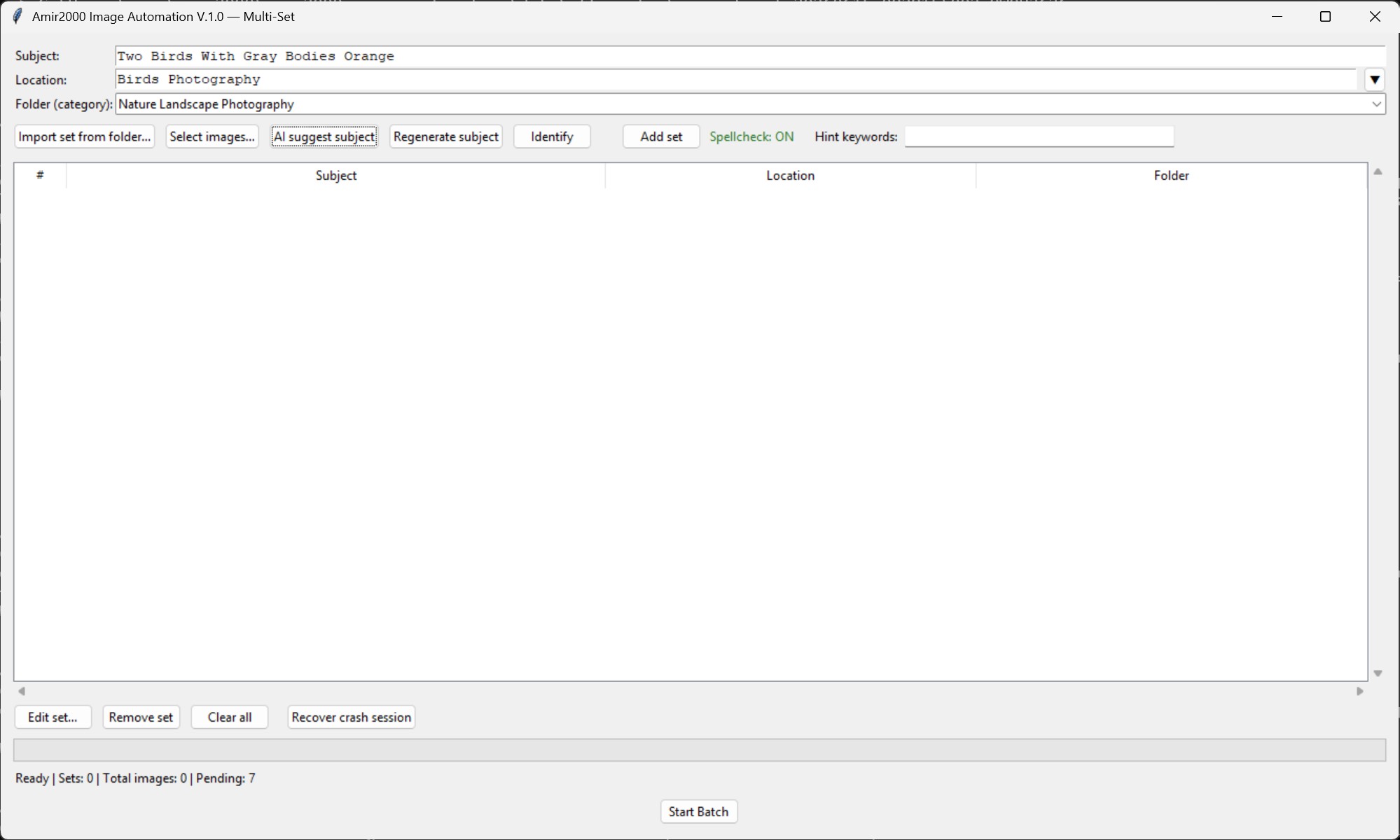
AI subject suggestion fills the subject field before a set is added.
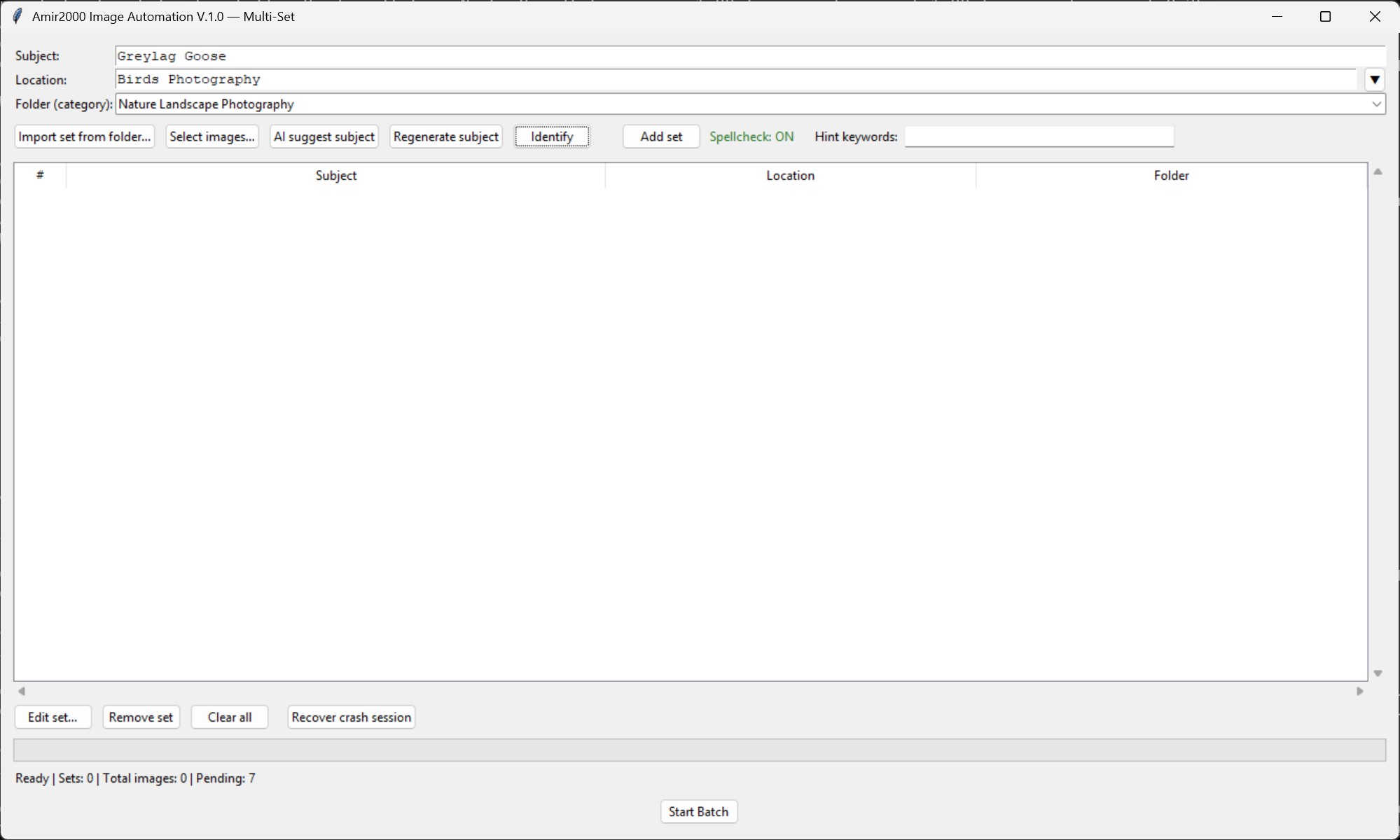
Identify can set a more specific shared subject when image evidence supports it; mixed or inconclusive selections remain available for manual correction.
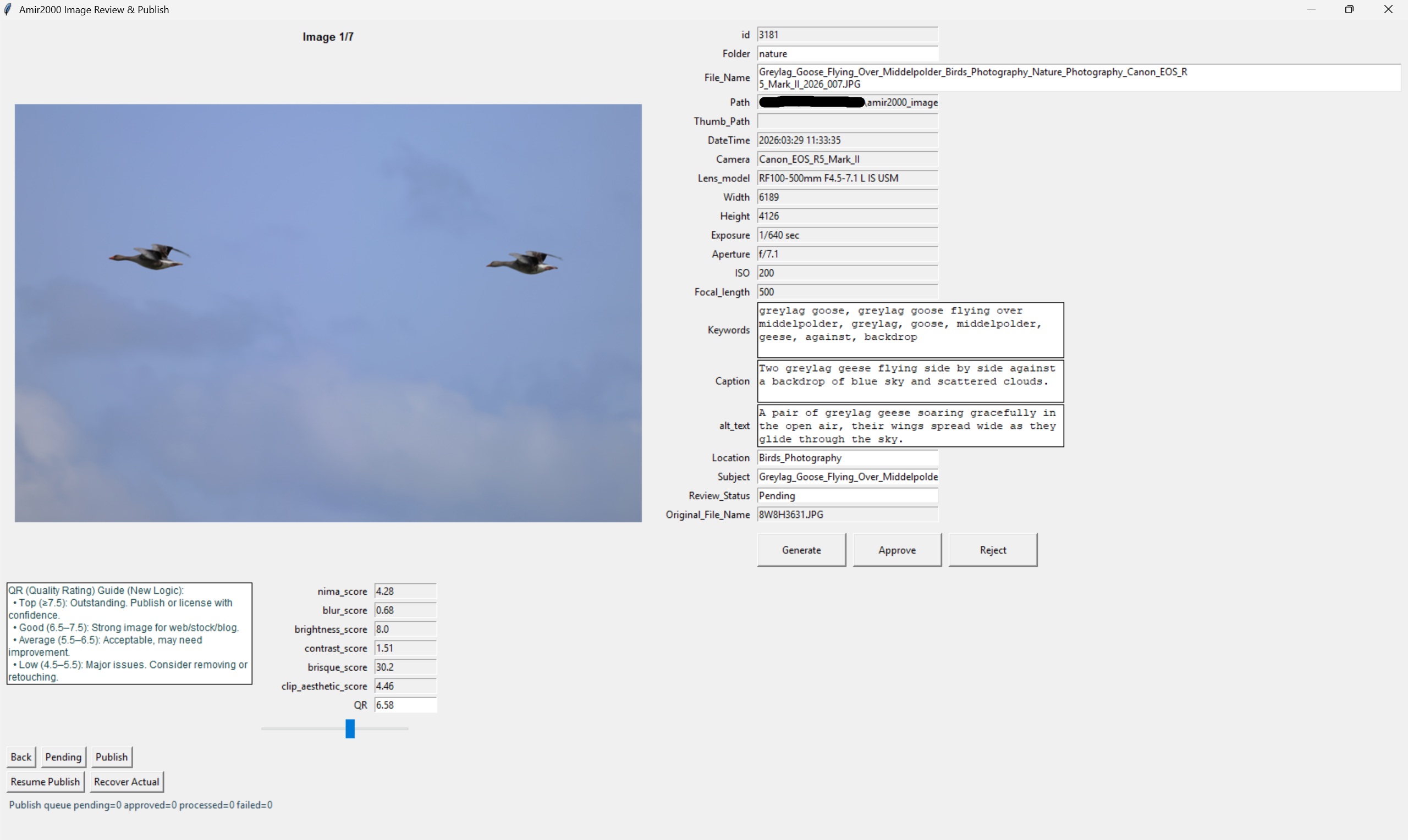
Review editor: verify generated text before using Generate, Approve, Reject, Pending, or Publish decisions.
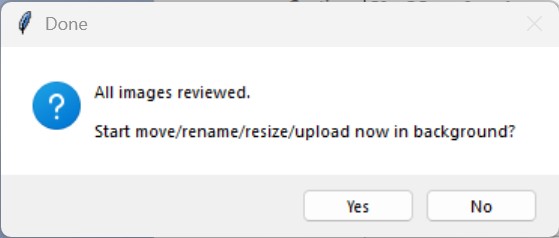
Publish prompt: upload starts only after all images have been reviewed.
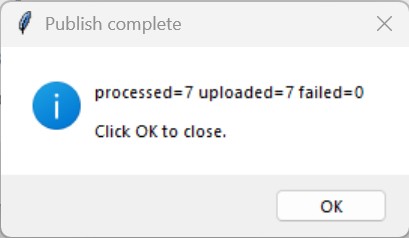
Publish completion confirms processed, uploaded, and failed counts.
R2.5 Decision rules for operators
- Approve when filename, metadata, and quality are publish-ready.
- Pending when additional review is needed and no publish should happen yet.
- Reject when output is unsuitable and should not proceed to publish.
Quality-first rule: speed should never override naming/metadata accuracy.
R2.6 Publish approved rows
- Trigger publish from review editor after final row decisions are complete.
- Uploader sends image + thumbnail assets to FTP target paths.
- Tagged source images are converted to sRGB for website export; generated full images and thumbnails embed an sRGB ICC profile while originals remain unchanged.
- Metadata upsert is applied to MySQL by
File_Name. - Local mirror DB is synchronized with canonical MySQL IDs.
- On success, processed queue rows are cleared from
review_queue. - At completion, one final publish dialog is shown; clicking OK closes the review window.
R2.7 Post-run validation checklist
- Check
dist/logs/latest_run.logwhen running the EXE, orlogs/latest_run.logwhen running Python directly. - Confirm startup line shows expected Ollama processor mode (GPU when configured).
- If
OLLAMA_CLOSE_ON_RUN_END=1, confirm app-started Ollama runtime closes after run completion. - Check
logs/db_uploader.logfor upload/upsert failures. - Check
data/prefill_qc_last.jsonfor duplicate/suspicious prefill scan output. - When output quality is questionable, check the
metadata_qualityproof status and issue labels before approving large groups. - Spot-check published image and thumbnail URLs, including color and tonal appearance in the website viewer.
- Verify expected records in MySQL
photos_info_revamp. - Confirm queue statuses and mirror DB state are consistent.
R2.8 Fast recovery pointers
- Validate Ollama model availability and retry when caption stage fails.
- Fix FTP/MySQL connectivity or credentials, then re-run publish when publish fails.
- Inspect logs first, then follow rollback-safe recovery when a run crashes.
Detailed incident procedures are in Step 3: Runbook and Supporting Reference 3: Troubleshooting.
R2.9 Operator quality tips
- Use consistent naming language for similar subjects/locations across a batch.
- Avoid generic captions when subject-specific context is available.
- Keep geography keywords anchored to the selected location; remove unrelated place terms.
- Use evidence-only keyword edits: do not keep
mountain/lake/forest/river/valley/trailunless visibly supported or explicitly in context. - Keep waterway, terrain, and scene labels only when they are visibly supported or explicitly grounded by the selected location.
- Filename time-of-day cues are authoritative: if filename includes
sunrise, remove/replace conflictingsunset/dusk/eveningterms; if filename includessunset, remove/replace conflictingsunrise/dawn/morningterms. - NL/polder context rule: remove mountain-specific drift terms (
mountain,ridgeline,alpine, etc.) unless visually explicit in that set. - Reject generic filler phrases before approval (examples:
scene appears in open terrain,scene view of scene,surrounding landscape context,with an and ...). - Do not keep landform claims such as
rocky terrain,hills,ridges, orvalleyunless they are clearly visible in the image. - Keep keyword sets relevant; remove noisy duplicates and weak generic terms.
- Reject weak outputs early rather than pushing low-quality metadata to publish; the proof layer is designed to reduce this manual cleanup, not replace final review judgment.
R2.10 Continuation path
Continue to troubleshooting to map issue patterns to targeted fixes.